
Design a Clean Room with flow and thermal simulation software
Clean room flow and thermal design optimisation with Computational Fluid Dynamics (CFD) Software
ARTICLES
Wiratama
10/28/20253 min read
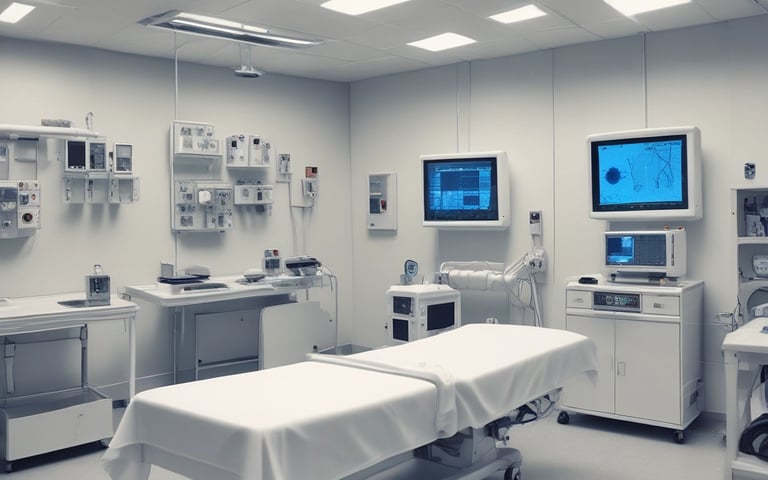

Cleanrooms are specialized environments where temperature, humidity, and air cleanliness must be precisely controlled to ensure product quality and safety. They are vital in industries such as pharmaceuticals, semiconductors, biotechnology, and healthcare — where even tiny particles or thermal fluctuations can compromise processes. Designing an efficient cleanroom requires more than mechanical layouts; it demands a deep understanding of airflow behavior, temperature distribution, and contamination control. This is where Computational Fluid Dynamics (CFD) becomes an essential design tool.
1. The Role of Airflow and Thermal Control in Cleanrooms
Cleanrooms operate based on one key principle — controlling the movement of air to minimize particle accumulation and temperature variation. Airflow patterns directly affect how contaminants are carried, diluted, or removed. At the same time, stable temperature and humidity conditions are necessary to protect sensitive materials and equipment.
An effective cleanroom design must:
Deliver clean, filtered air uniformly across the workspace.
Maintain positive or negative pressure relative to surrounding areas.
Remove airborne contaminants efficiently through exhaust vents.
Minimize turbulence that can recirculate particles.
Ensure consistent temperature and humidity within tight limits.
Balancing all these parameters through physical testing is time-consuming and expensive — but CFD simulation makes it achievable virtually.
2. Why Use CFD for Cleanroom Design
Computational Fluid Dynamics (CFD) allows engineers to visualize and predict how air and heat move inside a cleanroom before construction. Instead of relying on guesswork, designers can test various diffuser placements, exhaust positions, and air velocities digitally to find the most effective configuration.
Key benefits of CFD for cleanrooms include:
Airflow visualization: Identify recirculation zones, dead spots, or areas of turbulent mixing.
Particle tracking: Simulate how particles disperse and where they may accumulate.
Thermal analysis: Evaluate how temperature varies around equipment or personnel.
Energy optimization: Reduce fan power and air-change rates while maintaining required cleanliness levels.
CFD simulation bridges the gap between theoretical HVAC design and real-world airflow performance.
3. The Cleanroom CFD Design Process
A cleanroom CFD simulation involves several key steps:
a. Geometry Creation
The 3D model includes walls, floors, ceilings, diffusers, exhaust grills, process equipment, and personnel. Each of these elements affects local airflow patterns. Simplified yet accurate geometry ensures realistic results without excessive computation.
b. Boundary Condition Setup
Inlets are defined as supply air diffusers with specific velocity, temperature, and particle concentration, while outlets represent exhaust vents or return grilles. Wall surfaces are modeled with no-slip conditions and thermal properties if temperature effects are analyzed.
c. Meshing
The computational domain is divided into small cells (mesh). Finer mesh resolution is used near critical zones like diffusers, filters, and working areas to capture accurate flow details.
d. Post-Processing
After simulation, engineers visualize results in the form of:
Air velocity contours and streamlines
Temperature distribution maps
Particle trajectories
Pressure and air age plots
This helps identify stagnant air zones, uneven temperature regions, or potential contamination risks.
4. Example: ISO Class 7 Cleanroom Simulation
In a typical ISO Class 7 cleanroom, supply air enters through HEPA filters at the ceiling and exits through low-level exhaust grilles. Using CFD, engineers can observe:
Whether vertical laminar airflow is maintained uniformly across the workspace.
If any reverse flow or eddies occur near walls or equipment.
How heat from machines or lighting disturbs airflow patterns.
Adjusting diffuser angles or exhaust vent locations based on simulation results can significantly improve cleanliness and comfort without increasing airflow rate.
5. Evaluating Comfort and Performance
Beyond particle control, cleanrooms also need comfortable and stable environments for personnel. CFD can predict thermal comfort parameters such as:
PMV (Predicted Mean Vote) and PPD (Predicted Percentage Dissatisfied)
Draught Rate (DR) and Air Age Distribution
These indicators help balance cleanliness with human comfort — particularly in facilities with continuous human activity, such as pharmaceutical labs or medical production rooms.
6. Using tensorHVAC-Pro for Cleanroom Simulation
TensorHVAC-Pro simplifies the entire CFD process for HVAC engineers by providing a dedicated, intuitive platform for flow and thermal analysis in cleanroom applications. Unlike traditional CFD tools that require advanced setup, TensorHVAC-Pro automates meshing, solver configuration, and post-processing — letting HVAC professionals focus on design decisions.
With TensorHVAC-Pro, you can:
Simulate airflow distribution and particle behavior in seconds.
Analyze temperature stratification and comfort zones.
Evaluate compliance with ISO and ASHRAE standards for air change rate and flow uniformity.
Optimize diffuser and exhaust placement for maximum cleanliness with minimum energy use.
By visualizing cleanroom performance virtually, engineers can refine designs early — ensuring systems meet both contamination control and energy efficiency goals before construction.
tensorHVAC-Pro is a dedicated flow and thermal HVAC simulation software, designed for intuitive and easy to use for HVAC engineers - not CFD expert. Learn more..
Read more articles..