
Geometry Preparation in tensorHVAC-Pro
How to prepare geometry in tensorHVAC-Pro in blender
USER-GUIDE
10/7/20252 min read
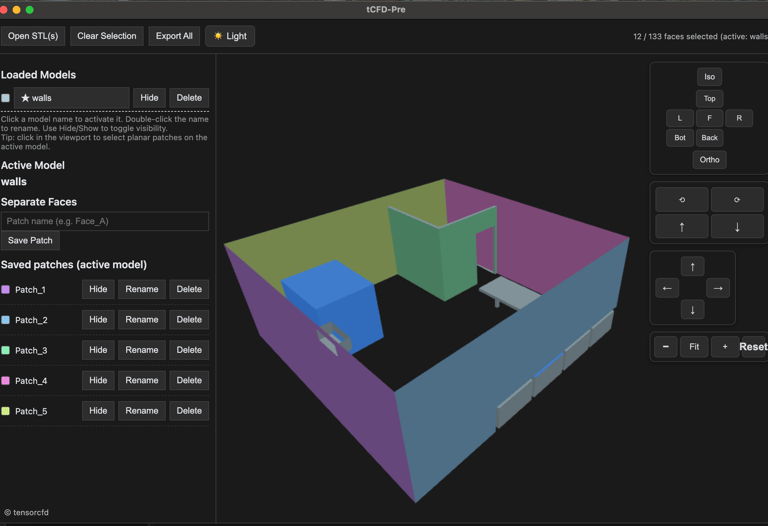
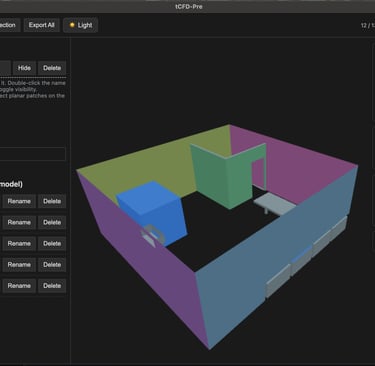
Pre-Processing Geometry with tCFD-Pre
tCFD-Pre is the dedicated geometry preparation tool in the tensorCFD ecosystem. It serves as an intuitive STL editor that allows users to manage, transform, clean, and organize geometry before running simulations in tensorHVAC-Pro. Proper pre-processing ensures smooth meshing, accurate physical modeling, and correct boundary assignments during the simulation stage.
1. Importing STL Geometry
Begin by loading your STL files into tCFD-Pre. The interface supports single or multiple STL imports, enabling users to work with complete HVAC room assemblies—including walls, ceilings, occupants, furniture, ducts, diffusers, and equipment.
Once imported, each STL appears in the geometry list, ready for editing and naming.
2. Geometry Transformations (Scale, Translate, Rotate)
To prepare the geometry for meshing, tCFD-Pre provides three essential transformation tools:
Scale — Adjust the model size when geometry is exported in incorrect units or requires uniform resizing.
Translate — Move objects along X/Y/Z axes to accurately position them within the domain.
Rotate — Reorient geometry to align with airflow direction or restructure the layout.
Transformations can be applied manually using numeric inputs or visually using the on-screen manipulation handles.
3. Naming Geometry Components for tensorHVAC-Pro
tensorHVAC-Pro requires strict naming conventions for assigning HVAC boundary conditions and defining solid objects inside the space. All geometry parts must be named using the following formats:
✔ Inlets
inlet_1
inlet_2
inlet_3
(and so on)
✔ Outlets
outlet
✔ Walls
wall_1
wall_2
wall_3
(Used for vertical room surfaces or partitions)
✔ Ceiling and Floor
ceiling
floor
✔ Objects (Furniture / Humans / Equipment)
object_1
object_2
object_3
These names must be applied exactly as written to ensure correct boundary assignment in tensorHVAC-Pro’s automated setup. Users can select any STL and rename it directly inside tCFD-Pre before exporting.
4. Separating and Managing STL Components
If a single STL contains multiple surfaces, tCFD-Pre provides tools to break them into individual components. This is essential for proper naming and boundary condition setup. The process includes:
Separate connected surfaces into independent parts
Isolate or remove unnecessary geometry
Repair STL issues such as inverted normals or small holes
Group or ungroup STL components
Separating geometry ensures each boundary (e.g., inlets, walls, objects) can be named and treated independently during simulation.
5. Reviewing Geometry and Exporting
Once editing and naming are complete:
Verify every surface has the correct tensorHVAC-Pro name
Ensure inlets, outlets, walls, objects, ceiling, and floor are clearly identified
Check that STL orientation and placement are correct
Export the cleaned STL set for meshing
The exported geometry is then ready for the meshing stage using snappyHexMesh or tensorHVAC-Pro’s automated meshing workflow.