
Solidworks HVAC CFD Simulation: Prepare geometry from Solidworks and run simulation in tensorHVAC-Pro
Solidworks HVAC CFD Simulation: Prepare geometry from Solidworks and run simulation in tensorHVAC-Pro
ARTICLESFEATURES
Wiratama
11/12/20255 min read
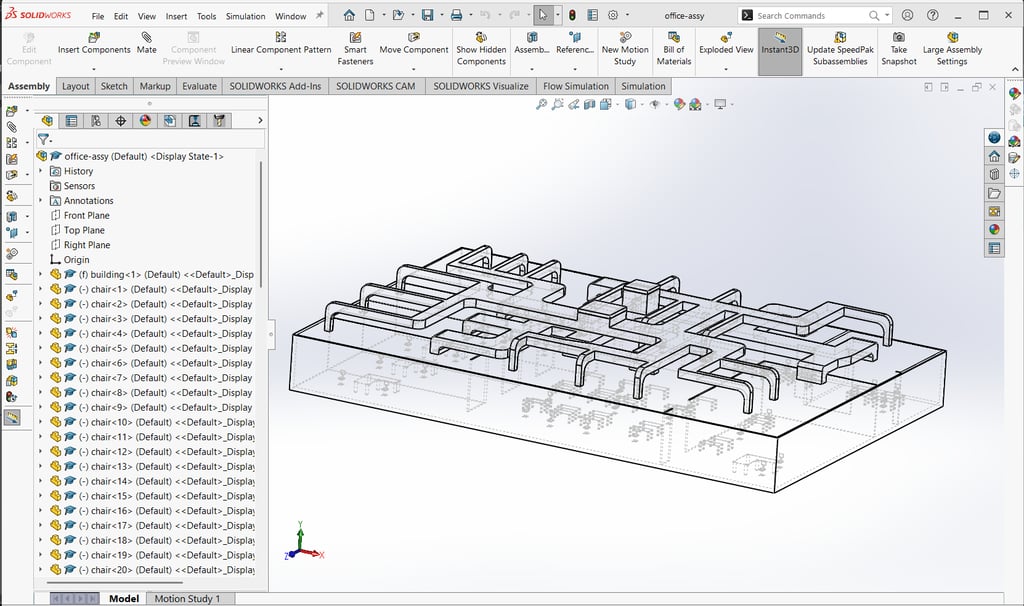
Preparing Geometry in SolidWorks
To successfully simulate Heating, Ventilation, and Air Conditioning (HVAC) systems using SolidWorks, it is crucial to properly prepare the geometry that will represent the system. The first step involves understanding the configuration of the HVAC system, including the various components such as ducts, inlets, and outlets. This foundational knowledge assists in accurately defining the geometry within SolidWorks.
Begin by creating a new project in SolidWorks and selecting the appropriate unit system for the measurements you will be working with. Use the Part feature to design the individual components of the HVAC system. Each component must be modeled meticulously, emphasizing correct dimensions and surface profiles. When defining the geometry, ensure that the surfaces corresponding to the inlets and outlets are clearly defined. This is important as they will serve as key connection points for airflow simulations and are critical for accurate performance assessments.
Adjusting dimensions is another vital aspect of preparing your HVAC geometry. Utilize tools such as the Smart Dimention feature to specify the dimensions accurately, taking care to maintain consistency across the various components. Surface alignment should also be reviewed; each component must align correctly with adjacent parts to avoid overlaps or gaps that could impede airflow dynamics in simulations.
Before exporting the geometry for analysis, it is essential to verify the integrity of the design. Utilize the Built-in Checking tools provided by SolidWorks to inspect for any issues such as under-defined features or conflicting dimensions. Common pitfalls to avoid include neglecting to fully define the geometry, which can lead to unpredictable simulation results, and failing to check the mating conditions between components. By following these best practices, you will create a solid foundation for simulating HVAC systems effectively.
Exporting the Geometry to STL Format
Once the SolidWorks geometry for the HVAC system is finalized, the next crucial step involves exporting it into the STL format. The STL (Standard Tessellation Language) is widely used for 3D printing and simulation due to its ability to create a triangle mesh that represents the surface of the model effectively. To ensure that the geometry is accurately captured, selecting the appropriate export settings during this process is paramount.
To begin, after opening your completed model in SolidWorks, navigate to the 'File' menu and select 'Save As'. In the 'Save as type' dropdown menu, choose 'STL (*.stl)'. Before completing the save action, click on the 'Options' button, as this will allow you to customize the export settings. It is essential to choose the desired resolution: ‘Fine’ for high-quality prints or ‘Coarse’ for quicker exports, but this should be based on your specific simulation needs.
Another common issue that users may face during this process is incorrect scaling. To confirm that the exported STL file maintains the correct dimensions, ensure that the 'Units' section in the export options matches the unit system used in the SolidWorks model. Additionally, surface imperfections can occur; thus, selecting the 'Check' option under the STL export settings can help in identifying any issues such as gaps or irregularities in the geometry.
Once the export is complete, it is advisable to verify the integrity of the generated STL file. You can open the file in a 3D viewer or checker tool to inspect the mesh quality and ensure that the surface details are adequately represented. By thoroughly checking the file, one can confirm that it meets the necessary criteria for successful simulation in HVAC system analysis.
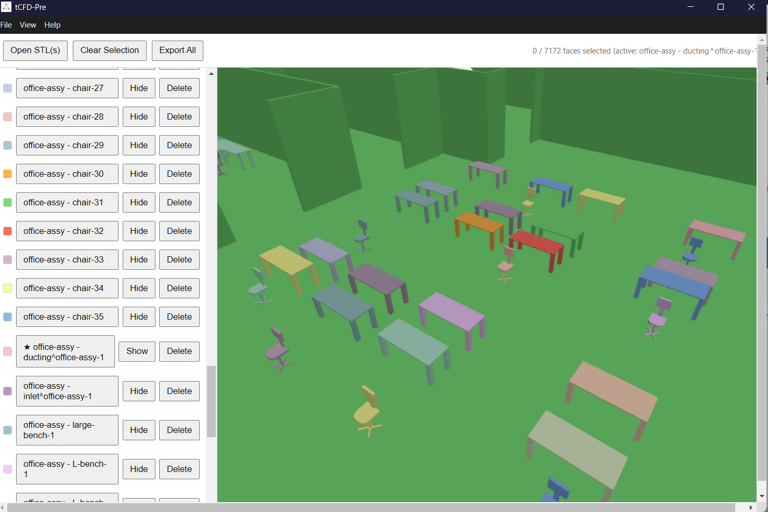
Importing the STL File into TCFD-Pre
Once you have successfully exported your SolidWorks geometry as an STL file, the next step is to import this file into TCFD-Pre, a crucial process for simulating Heating, Ventilation, and Air Conditioning (HVAC) systems accurately. To begin, launch TCFD-Pre and open the project interface, which is designed for straightforward file management. Navigate to the menu bar and select the 'Import' option. Here, you will find the ability to browse your directories; locate the STL file you saved previously and select it for import.
Upon successfully importing the STL file, it is essential to familiarize yourself with the interface of TCFD-Pre. The 3D view will display your geometry, but it’s vital to verify its correctness, ensuring that no significant alterations occurred during the import process. If the model appears distorted or improperly scaled, it may be beneficial to revisit the export settings in SolidWorks to rectify the issue before re-importing.
After confirming that your STL file is correctly displayed, focus on defining the simulation boundaries. Select specific surfaces that will act as boundaries for the HVAC simulation, which is a critical step in producing accurate results. Boundary conditions include parameters such as temperature and pressure that significantly influence airflow and heat transfer predictions. By appropriately setting these conditions, you can enhance the fidelity of your simulation.
Common import issues may arise, such as incompatible file formats or missing geometry details. If you encounter any difficulties, consider consulting TCFD-Pre’s help resources or forums. Additionally, reviewing the import settings might help alleviate errors related to geometry scaling. Smooth transitions between SolidWorks and TCFD-Pre not only streamline the simulation process but also improve the effectiveness of your HVAC system analysis.
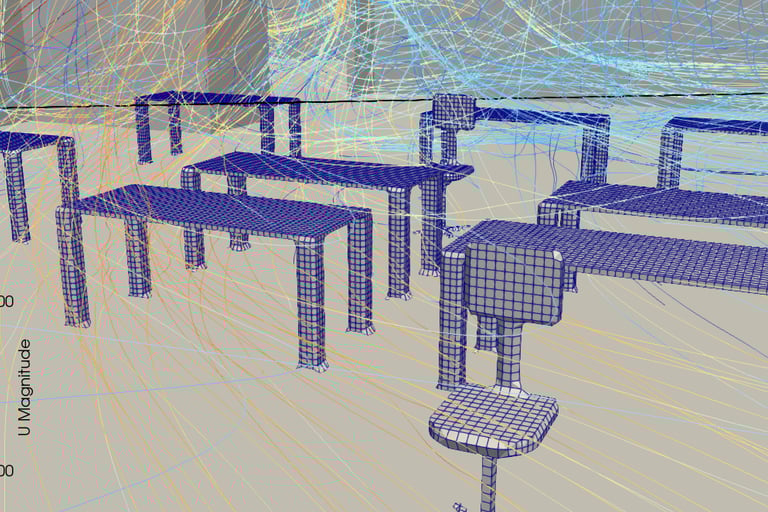
Setting Up and Running the Simulation in TensorHVAC-Pro
The simulation of HVAC systems in TensorHVAC-Pro begins with a comprehensive setup process, ensuring that all necessary parameters align with the desired outcomes. Initially, users must configure the simulation parameters, starting with the selection of appropriate fluid properties. The choice of fluids, including air and refrigerants, directly influences the accuracy of thermal calculations, pressure drops, and flow rates within the system. This is crucial in simulating realistic HVAC performance under varying operational conditions.
Next, attention must be given to mesh requirements. A well-defined mesh facilitates accurate numerical simulations of fluid dynamics and heat transfer. Users should ensure that the mesh resolution is sufficient to capture the intricate details of the system geometry imported from SolidWorks. Refining the mesh adequately is essential; a coarse mesh may overlook significant phenomena, while an excessively fine mesh could lead to unnecessarily long computation times.
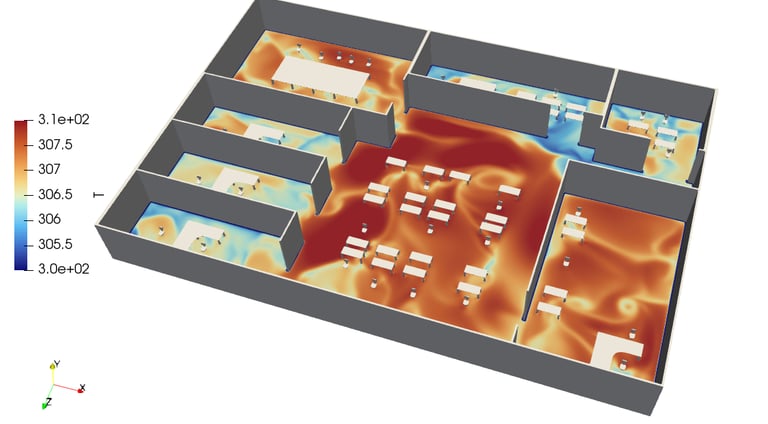
Establishing initial conditions is another vital step in the setup phase. This includes defining the starting temperatures, pressures, and velocities within the different components of the HVAC system. Properly set initial conditions can greatly enhance the convergence of the simulation and improve the reliability of results.
Once simulations are executed, interpreting the results is critical. Users should analyze parameters such as temperature distribution, velocity profiles, and flow rates compared against expected outcomes. Identifying discrepancies can direct attention to potential modeling errors or areas requiring adjustments. Furthermore, optimization techniques such as varying system configurations or modifying component sizes based on simulation feedback can lead to enhanced system performance. Revisiting the parameters incrementally allows for the fine-tuning of designs to improve efficiency and meet specific operational requirements effectively.
With meticulous attention to these steps, users can achieve a comprehensive simulation of HVAC systems within TensorHVAC-Pro, enabling a thorough understanding and enhancement of system performance.
tensorHVAC-Pro is a dedicated HVAC flow and thermal simulation software, Intuitive and easy to use, designed for HVAC engineers - not CFD expert. Learn more..
Read more tensorHVAC-Pro features