
What is Meshing in CFD
In CFD, meshing is the process of dividing the simulation domain into small elements or cells. These cells form a computational grid where the fluid flow equations are solved, allowing accurate prediction of velocity, pressure, and temperature throughout the domain.
THEORY-GUIDE
Wiratama
10/13/20252 min read
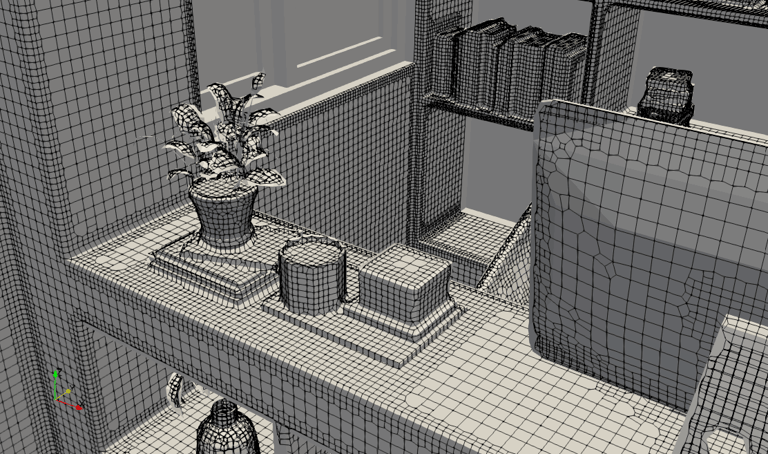
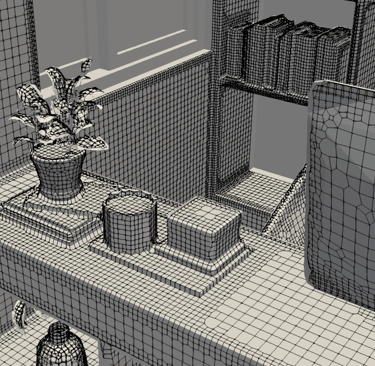
Meshing in CFD
In Computational Fluid Dynamics (CFD), meshing is the process of dividing the simulation domain into many small, discrete cells that the solver uses to approximate the governing equations of fluid motion. Instead of solving the Navier–Stokes equations analytically, CFD solves them numerically over each small cell in the mesh.
A mesh can consist of:
Hexahedral cells
Tetrahedral cells
Polyhedral cells
Prismatic layers near walls
The quality and structure of the mesh directly affect:
Accuracy of velocity and temperature predictions
Numerical stability
Convergence speed
Ability to resolve important flow features such as boundary layers, jets, and recirculation zones
In HVAC simulations—where indoor airflow is complex—high-quality meshing is essential for capturing diffuser jets, thermal plumes, stratification, and comfort metrics such as PMV, PPD, DR, and air age.
tensorHVAC-Pro automates this step, but understanding the underlying meshing tools helps users appreciate how the geometry is discretized.
blockMesh
blockMesh is a basic mesh generator that ships with OpenFOAM. It creates simple, structured meshes by dividing the domain into one or more hexahedral blocks.
Key Characteristics of blockMesh
Produces structured meshes
Cells are perfectly aligned and follow a strict grid pattern
Excellent for simple geometries such as cubes, rooms, channels, ducts, or rectangular volumes
Very fast and easy to compute
Defined using the blockMeshDict file
Supports mesh grading (cell refinement in a given direction)
Limitations
Cannot handle complex STL geometries (objects, furniture, diffusers, curved surfaces)
Geometry must be decomposed into simple block shapes
In HVAC applications, blockMesh is often used only to create a background mesh, which is later refined using snappyHexMesh.
snappyHexMesh
snappyHexMesh is OpenFOAM’s advanced, automatic, STL-based meshing utility. It is designed to generate meshes around complex geometries—such as rooms with furniture, humans, AC diffusers, ducts, windows, and detailed HVAC systems.
How snappyHexMesh Works
The meshing process happens in three main steps:
Castellated Mesh Generation
Starts from a blockMesh background
Refines cells near STL surfaces
Removes cells inside or outside regions (depending on settings)
Surface Snapping
Mesh conforms to the STL shape
Cell vertices are moved to match the geometry
Produces accurate surfaces around imported objects
Layer Addition (Optional)
Generates boundary layer cells on walls
Required for resolving near-wall velocity gradients
Key Strengths
Handles complex indoor geometries effortlessly
Automatically refines around:
Furniture
Equipment
Diffusers
Occupants
Accurately captures small features
Allows region-based refinement
Produces high-quality hex-dominant meshes
Why snappyHexMesh is ideal for HVAC
Indoor airflow involves:
Multiple objects
Irregular room layouts
Detailed boundary surfaces
Buoyancy and recirculation
snappyHexMesh can refine around these complexities automatically, producing meshes that resolve flow behavior around obstacles and comfort-critical regions.
Meshing Workflow in tensorHVAC-Pro
tensorHVAC-Pro wraps these meshing tools with an easier interface:
Users only choose Coarse, Medium, or Fine mesh
Geometry is automatically cleaned and refined
Objects are auto-processed based on STL names
SnappyHexMesh handles all complex features
Minimal or zero geometry cleanup needed
This dramatically simplifies the preparation phase, making CFD more accessible without compromising physical accuracy.