
Resolving TensorHVAC-Pro Installer Error 2025.1.2: Your Guide to Compatibility
DISCUSSION-FORUMDISCUSSION-2025.1
10/24/20252 min read
Introduction
The TensorHVAC-Pro installer version 2025.1.2 has been a significant update in the realm of HVAC simulation. However, users may encounter compatibility issues, particularly when Windows Subsystem for Linux (WSL) is already installed. This guide aims to present two viable solutions to resolve the error, ensuring a seamless installation process.
Option 1: Uninstalling Existing WSL
One straightforward approach to resolving the error in the TensorHVAC-Pro installer is to uninstall the current WSL using tensorHVAC-Pro Uninstaller. However, before proceeding with this option, it is crucial to back up any important data as uninstalling WSL will result in complete data loss. Once you have secured your files, you can uninstall WSL through the settings or command line.
After the uninstallation, you can proceed to install a new version of WSL, which will create a fresh environment. During this process, opt to set the username as “tensor” and the default password as “1234.” This setup ensures compatibility with the 2025.1.2 version of the installer, allowing you to leverage all the new features without encountering previous errors.
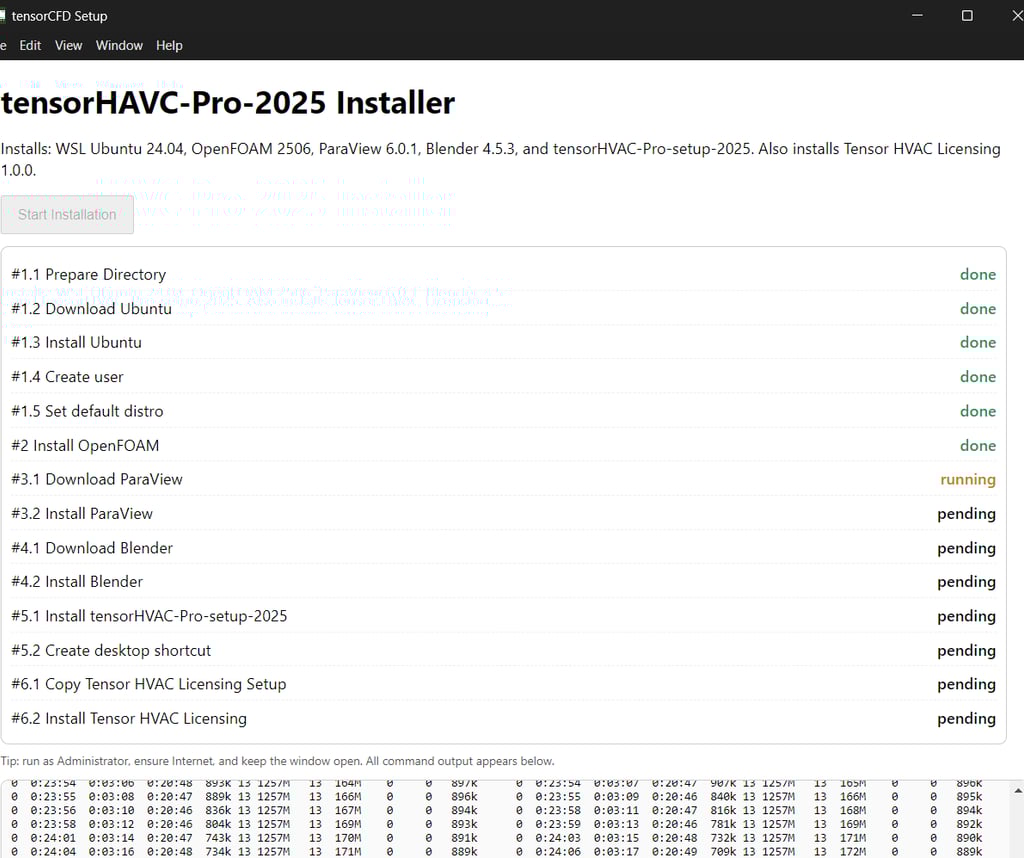
To install, please check everything in your Installer to make sure you install WSL and OpenFOAM v2506 properly.
Option 2: Manual Installation of OpenFOAM
If you prefer not to uninstall your existing WSL, the second option is to manually install OpenFOAM. This step is essential to ensure compatibility with the 2025.1.2 TensorHVAC-Pro installer. It is recommended to install OpenFOAM version v2506 specifically to align with the setup requirements of the installer.
This manual installation involves several steps, including; updating your package manager, ensuring remote access, and downloading the OpenFOAM package from the official sources. Once installed, verify the compatibility with the TensorHVAC-Pro installer, ensuring that your simulation environment is primed for optimal performance.
Please uncheck the "WSL" and "OpenFOAM" selection in the installation process to skip their installation.
Conclusion
In conclusion, if you encounter an error in the TensorHVAC-Pro installer version 2025.1.2 due to an existing WSL installation, you have two effective options available. Whether you choose to uninstall your current WSL or manually install OpenFOAM v2506, both paths can lead to a successful resolution. By carefully following the outlined steps, you can prepare your system for an efficient and error-free installation, enabling you to fully utilize the advancements brought by the latest TensorHVAC-Pro update.
Back to discussion forum