
Installation Error Troubleshooting: WSL Already exist for tensorHVAC-Pro-2025.1.2 Error
DISCUSSION-FORUMDISCUSSION-2025.1
Wiratama
10/27/20251 min read
Understanding the Error Message
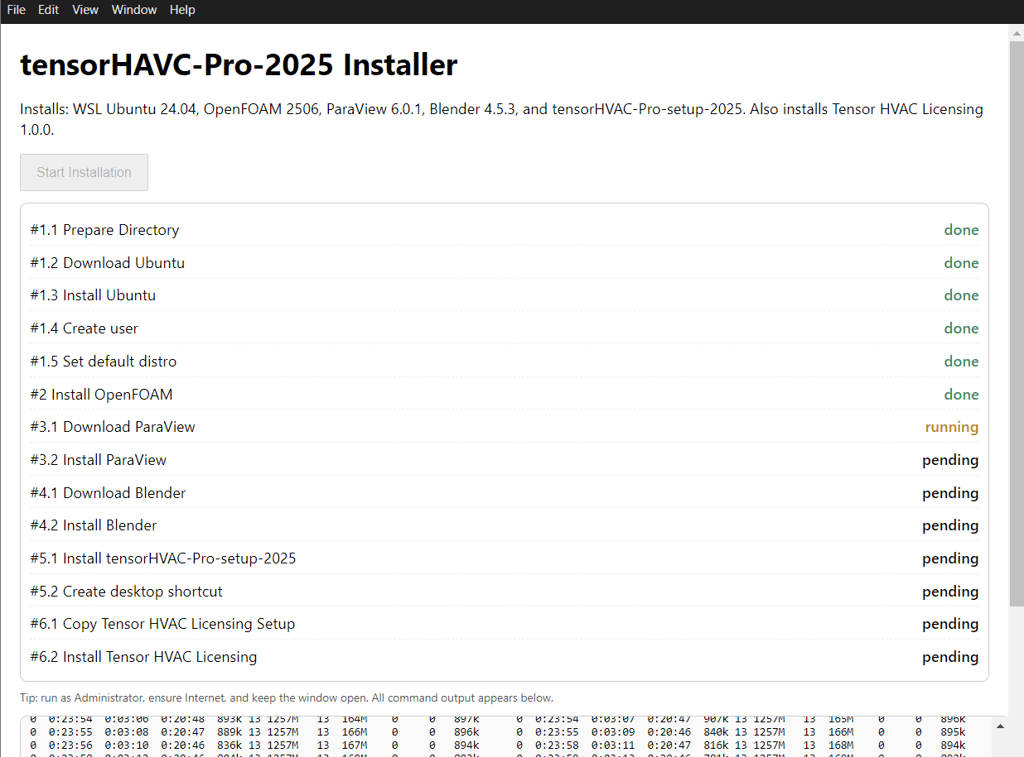
If you are experiencing the error message stating that 'a distribution with the supplied name already exists' while trying to install TensorHVAC-Pro-2025.1.2, you are not alone. This issue often arises in Windows Subsystem for Linux (WSL) due to conflicts with existing installations. Specifically, the error code wsl/service/registerdistro/error_already_exists is a common indicator that the setup process is encountering a duplicate distribution name.
Common Causes of the Error
The most frequent cause of this error is that the WSL has already registered a distribution with the same name as that you are attempting to install. This can be a problem during the setup of TensorHVAC-Pro, particularly with incorrect or incomplete previous installations. Additionally, if you have multiple distributions of Ubuntu or other Linux distros, there could be naming conflicts.
Steps to Resolve the Issue
To resolve the error in TensorHVAC-Pro-2025.1.2, you need to follow these steps:
First, ensure that WSL is installed on your device. If it is already installed, you might have to uncheck the WSL and OpenFOAM installation options in your setup file.
Next, opt to install OpenFOAM manually. This is crucial as it aids in avoiding potential errors that occur with automatic installations. It is essential to follow a trusted guide while doing this.
Referentially, here is a helpful guide that illustrates how to proceed with the manual installation of OpenFOAM. Be sure to choose version v2506 as indicated in the guide: OpenFOAM Manual Installation Guide.
Following these steps should help you circumvent the error and proceed with the intended installation of TensorHVAC-Pro-2025.1.2 successfully.
Alternative
You can also uninstall your existing WSL by using Uninstaller tensorHVAC-Pro-2025.1.2, and check all the installation including WSL and OpenFOAM.
Using this method, your new WSL as a default will have username "tensor" and password "1234"
Read other discussions..