
Easy Utilize Common ACE Software Geometry
Unlike traditional CFD tools that require extensive geometry cleanup or manual preparation of negative fluid domains, tensorHVAC-Pro streamlines the entire process. Users can directly import STL geometry from their existing design software — such as Revit, SolidWorks, or Rhino — and start the simulation almost instantly.
FEATURES
Wiratama
11/5/20251 min read
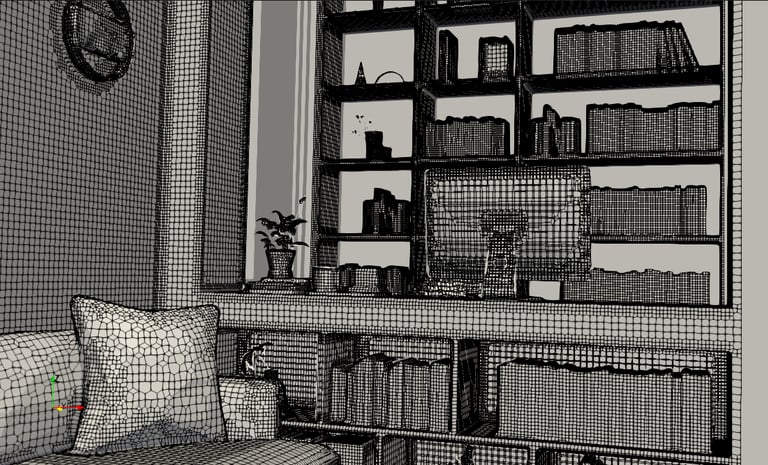
One of the most valuable features of tensorHVAC-Pro is its high compatibility with existing ACE (Architecture, Construction, and Engineering) software. Unlike traditional CFD tools that require extensive geometry cleanup or manual preparation of negative fluid domains, tensorHVAC-Pro streamlines the entire process. Users can directly import STL geometry from their existing design software — such as Revit, Sketchup, SolidWorks, or Rhino — and start the simulation almost instantly.
This eliminates one of the biggest bottlenecks in simulation workflows: the tedious pre-processing stage. With tensorHVAC-Pro, engineers no longer need to spend hours sealing surfaces, fixing gaps, or creating the air domain manually. The software automatically interprets the imported geometry and prepares it for flow and thermal analysis, allowing HVAC professionals to focus on what truly matters — understanding airflow patterns, temperature distribution, and comfort parameters.
By removing these technical barriers, tensorHVAC-Pro bridges the gap between design and simulation, making CFD more accessible for HVAC engineers who want fast, accurate insights without being CFD experts.